
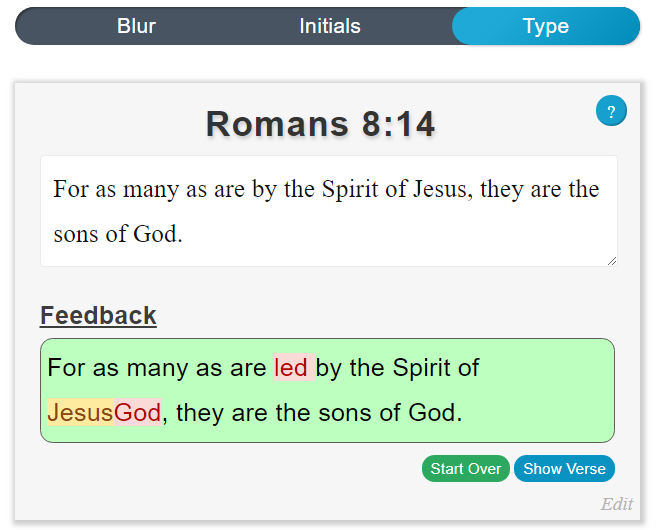
 VerseLocker now lets you type your memory verses. When practicing a verse, just tap the Type option at the top. The Feedback section will be updated in real time to show which portions of the verse you have correctly typed.
Words you forgot will be highlighted in red, while words you added will be highlighted in yellow. If you need a hint, just click Show Verse to see the correct text. When you're finished, tap Start Over to try again, or use the Next/Previous buttons to practice another verse.