
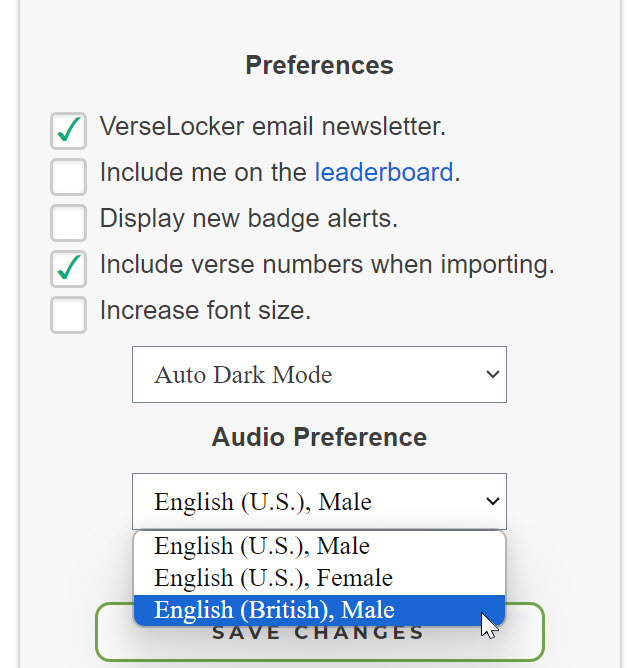
 VerseLocker now provides greatly improved audio playback when listening to your verses. The old, robotic voice has been replaced with a much more lifelike text-to-speech engine. There are also multiple text-to-speech voices to choose from. Simply tap on the Settings tile from your Home Screen and select your audio preference.
VerseLocker provides custom voice options in English, German, Spanish, Russian, French, and Dutch. If you are memorizing in a different language, you may not see the option to choose a custom voice.*
We also made some improvements to the audio player interface. For reference, the old audio player looked like this:
The problem with the above audio player is that it's powered by your device's built-in media player. This means we have no control over how it looks or functions, and it often looks very different across device types and operating systems. The new audio player was built from the ground up and should look and function identically across devices.
Finally, the new audio player allows you to speed up or slow down playback on the fly. This replaces the "slow mode" option that was previously available when adding or editing verses.
*The list of available voices is based on your default language. VerseLocker uses the translation your most recent memory verse to determine your default language.